Tech stack: React, TypeScript, HTML, CSS
Gallery
Description
Built with React, this project was created to make playing Scrabble more enjoyable and less time-consuming by offloading the task of calculating player scores to a computer. I wanted to eliminate the need for manual scorekeeping, allowing players to focus more on strategy and fun rather than arithmetic.
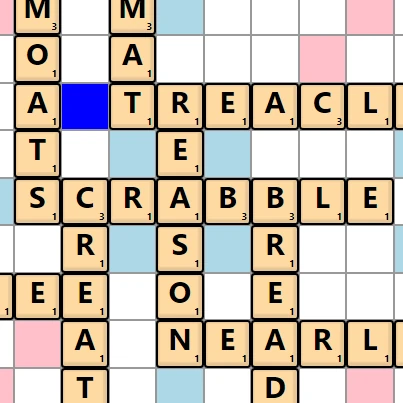
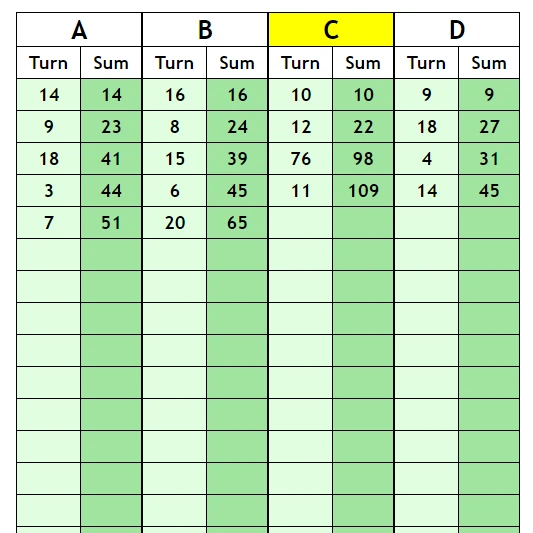
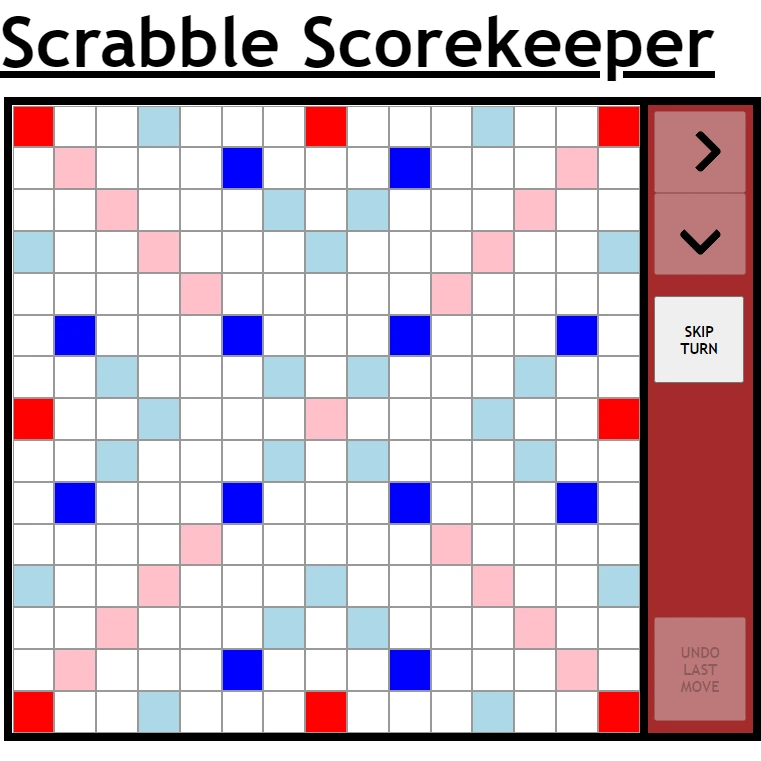
The application features an intuitive, easy-to-use graphical user interface, which includes a fully interactive virtual Scrabble board and a dynamic table that tracks and displays player scores in real time. Users can place tiles on the board using keystrokes, and the board automatically calculates points based on letter and word multipliers. A built-in dictionary is included to validate each word formed, ensuring that only legitimate words are accepted. If an invalid word is attempted, the system immediately prompts the user to make a correction.
The board, table, and tiles were styled using custom CSS to create a visually appealing and clean design that mirrors the look and feel of a real Scrabble game. Building this project strengthened my skills in React component architecture, state management, and event handling, as well as improving my understanding of CSS for responsive, user-friendly interface design.
GitHub ReadMe
Scrabble Scorekeeper
Built with React, this program calculates the number of points awarded for a move in the board game, Scrabble.
General info
This project was designed to make playing the board game version of Scrabble more enjoyable, by providing a fast and reliable method of calculating turn scores. The program features an easy-to-use graphical user interface comprised of a virtual board and table. With the use of keystrokes, the user can place tiles on the virtual board to mirror the state of the actual board.
Screenshots
Usage demo:

| Tiles | Starting screen |
|---|---|
![]() | ![]() |
How to use
At the start screen:
Type in the player names in turn order, pressing the enter key to add a player to the list. Once each player name has been entered, click the button labelled 'GENERATE' and the program will generate a board and table. N.B. Player names are restricted to 6 letters so that when displayed as the column title in the table, they are guaranteed to fit within the width of the column.
Adding tiles:
Click the square on the board upon which a tile is to be placed. The square should now be selected and flashing yellow. A tile can now be added by typing the corresponding letter on the keyboard, however, if the number of tiles a player has placed is more than one, the program needs to know which direction to add subsequent tiles. To set the direction, either click the respective button to the right of the board or use the arrow keys on the keyboard (either right or down arrow). After all the tiles have been placed, pressing the enter key will submit the move for validation. If the move is NOT deemed to be a valid Scrabble move, close the alert box then use the backspace key to remove tiles in reverse order of placement. To add a blank tile, use the space bar then type in the letter the blank tile represents.
Features
- Has built-in Scrabble rules.
- Includes a dictionary to verify words.
- Keeps track of the remaining tiles.
Built with
- React 17.0.1
- JavaScript (ES6)
- HTML 5
- CSS 3

